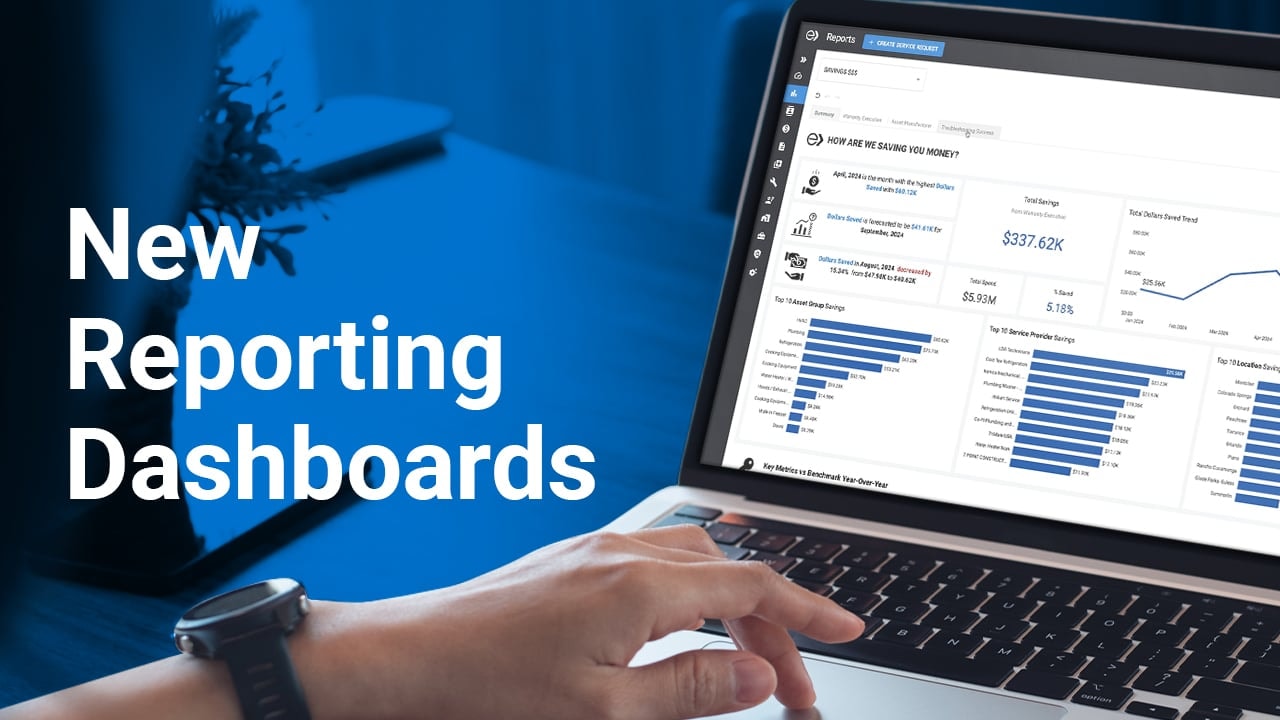
Whether you are implementing a CMMS platform for the first time, or growing your CMMS to drive new process improvements, the Ecotrak team has supported countless organizations looking to improve facilities management. Here, we share some of the fundamentals for mastering facilities management.
blog
March 4th, 2026
Team Ecotrak
Mastering Facilities Management: CMMS Reporting Strategies
As your facilities management operations evolve, your company may consider leveraging a Computerized Maintenance Management System (CMMS) to increase equipment uptime, support reporting, and improve operational efficiency.


Why CMMS Reporting Matters
CMMS reporting requires accurate data, built on information within workflows from the facilities team and service providers. With this reporting, operators have streamlined workflows and visibility into operational performance, enabling smarter decisions that align with budgets.
What can CMMS reporting help improve?
Clarity into overall R&M spend, by location, asset group, or type of repair
Warranty period data and spend analysis (both savings and costs)
Reduced costs through data-driven decisions around asset life cycles
Optimized maintenance budgets through analysis of anomalies and areas for improvement
Improved operational efficiency by monitoring benchmark data and key metrics
Understanding Spend Opportunities
Analyzing your facilities management spend data helps uncover cost drivers, vendor inefficiencies, and asset patterns that can guide targeted improvements.
Identify high‑cost categories & asset types: Get information on high-cost asset groups like HVAC, refrigeration, and cooking equipment. Understand trends within asset groups and within specific trades.
Spot preventive vs. reactive imbalance: Drill into spend and invoice analysis on a location-by-location basis to find actionable takeaways, particularly for assets with high reactive maintenance spend that may benefit from a preventive maintenance strategy.
Find vendor performance trends: Evaluate metrics across the platform to understand service provider efficiency and any workflow delays, both for internal teams or external vendors. You can even pull vendor-specific metrics, such as percentage of completed work orders, completion timelines, and Not to Exceed or invoice averages, to inform discussions and contracts with service providers.
Recognize asset lifecycle patterns: Data can help inform facilities decisions about preventive maintenance (PM) programs, or the best repair vs replace points for different assets. Data can also help you identify portfolio-wide trends about equipment useful life, and manufacturer or model-specific issues, informing long-term strategy.
View top spend by location: View peaks and valleys in spend to see where repair work is getting done, and understand locations where spend is the highest with visibility into repair, maintenance, and capital expenses.
Daily & Weekly Key Reports
Daily reports give real-time insight into work order volume, urgency, and service level agreement (SLA) performance so teams can prioritize effectively. To proactively track equipment and projects that are critical or high-cost, here are some common daily reports:
Open Work Orders
Critical/Risk‑based Work Orders
High‑cost Work Orders
Technician/Vendor SLA performance
Weekly reports highlight broader trends in spending, PM completion, and aging work orders to keep maintenance programs aligned with facilities goals. With work order information being pushed through the platform workflows, and budget information uploaded, your operations team can analyze helpful, timely metrics to ensure operations are on the right track, such as:
Spend by category/vendor
PM completion rates
Work order aging trends
Budget vs. actual reports
Filtering, Bookmarking, Navigation Best Practices
CMMS reporting can seem overwhelming at first, but there are best practices to help you navigate the platform quickly and easily. Here are a few areas to start with:
Filtering & Bookmarking Best Practices: Using filters and bookmarks ensures teams can quickly access the right data, maintain consistent reporting, and save time navigating high-volume datasets.
Use filters to isolate categories, vendors, or trades
Bookmark frequently used filters
Save custom views for team sharing
Use consistent naming conventions
Navigation Tips: Starting with dashboards and drilling deeper using categories and tags allows teams to easily uncover insights and track performance.
Start with high-level dashboards
Drill into exceptions
Use tags and categories for consistency
Leverage export options for deeper internal analysis
Hidden Opportunities: CMMS reporting reveals untapped opportunities such as vendor consolidation, recurring issues, and cost avoidance through warranties or predictive indicators.
Vendor consolidation insights and comparison tools
Recurring issue detection
Predictive Maintenance indicators
Warranty and recall cost avoidance
Customer Tips & Tricks
Top-performing customers use templates, vendor audit shortcuts, automation, and integrated reporting routines to accelerate results. Here are a few more tips and tricks to help you get started:
Bookmark settings that are important to your organization
Share your vendor data with your vendors, help them service your account better
Leverage benchmarking for industry data on inflation and assets
Review your PM spend versus repairs to evaluate the effectiveness of PMs
Turn on regular push reporting
Take advantage of reporting and data to prepare cost-benefit analysis of different operations strategies, from PM programs to equipment replacements
It can be intimidating to leverage all of the different parts of Ecotrak’s CMMS system, but you don’t have to do everything at once. Get started by exploring different reports, taking advantage of recommended reporting routines, and engage with your Customer Success representative for any questions.
And to learn more tips and tricks for mastering facilities management, watch Ecotrak’s webinar, led by Matt Singer (CEO, Ecotrak) and Rubilyn Loanzon (Sr. Manager, Customer Success & Support, Ecotrak), here.
Related Content